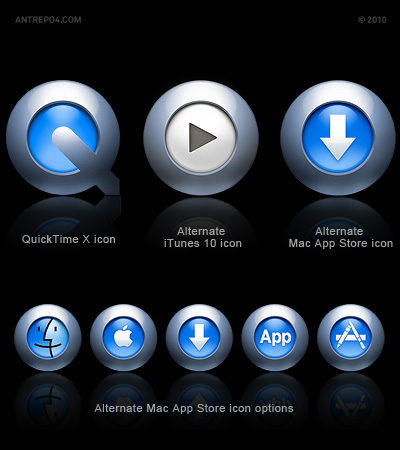
With the release of iTunes 10 on September 1, Apple has revamped the application's icon for the first time in many years, doing away with the traditional design of music notes on top of a CD. If you don't like new iTunes 10 icon (like us). You can customize it with our new icon (inspired by QuickTime X icon).
How to:
Remove iTunes from Dock. Download our new icon and expand zip file. Right click the iTunes software and select "get package contents" from submenu, Open (contents > Resources) folder and put new file (after back-up original icon for restore) Add iTunes shortcut to your dock. That's it!
Windows users can download expanded icon pack (png and all icon files)
Update:
Apple has released Mac App Store on January 6, 2011, we liked it very much, except one thing, another ugly icon came with the mac app store after itunes 10.
Of course we prepared again new icon. Also this time, it comes with 4 more options, because we don't like "pen-ruler-brush" and we try to find a few suggestions for "application"
How to:
Remove "App Store" from Dock. Download our new icons and expand zip file. Right click the "App Store" software and select "get package contents" from submenu, Open (contents > Resources) folder and put new file (after back-up original icon for restore) Add "App Store" shortcut to your dock. That's it!